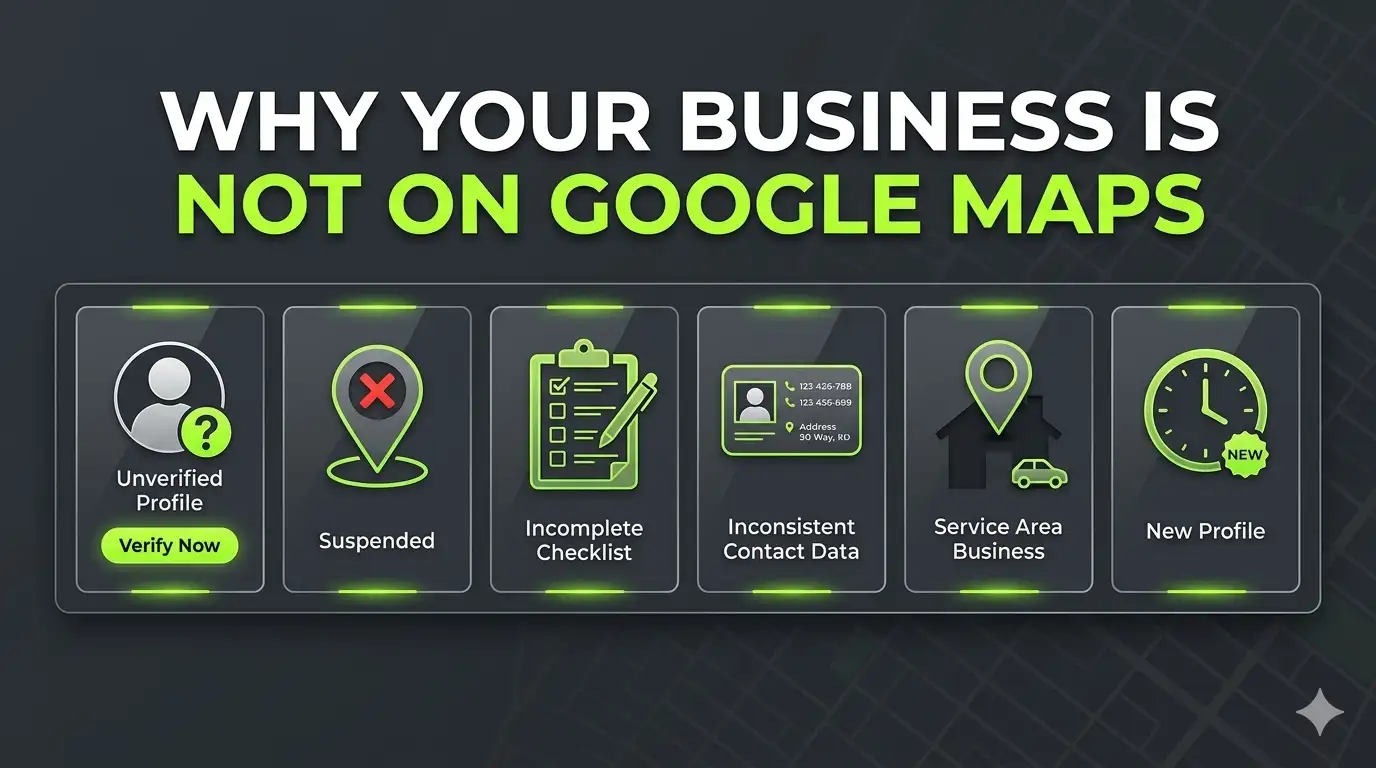
Why Is My Business Not Showing on Google Maps? 6 Real Reasons (And How to Fix Each One)
A plumber in Houston called me last year. He had set up his Google Business Profile six months earlier, verified it, filled in his address, and waited. His business was nowhere on Google Maps. Not in the Map Pack, not in regular search, not anywhere. He had done everything he thought was right. Nothing was working. If your business is not showing on Google Maps either, chances are one of six specific things is causing it.
I see this exact situation regularly. And in almost every case, the fix is straightforward once you know what to look for.
The Quick Answer — Why Is My Business Not on Google Maps?
Your business is not showing on Google Maps most commonly because your Google Business Profile is either unverified, suspended, or incomplete. Other common causes include inconsistent business information across the web, a hidden address on a service area business, or a profile that is too new for Google to have indexed yet. Identifying which of these applies to your situation takes about ten minutes and most fixes can be done the same day.
The 6 Most Common Reasons Your Business Is Not Showing on Google Maps
Reason 1: Your Profile Is Not Verified
This is the single most common reason and the first thing to check.
When you create a Google Business Profile, Google does not automatically show your business publicly. You have to verify it first. Verification tells Google that a real business exists at that location and that you are the legitimate owner.
If your profile is unverified, your business simply will not appear on Google Maps or in local search results, no matter how complete your profile is.
How to check:
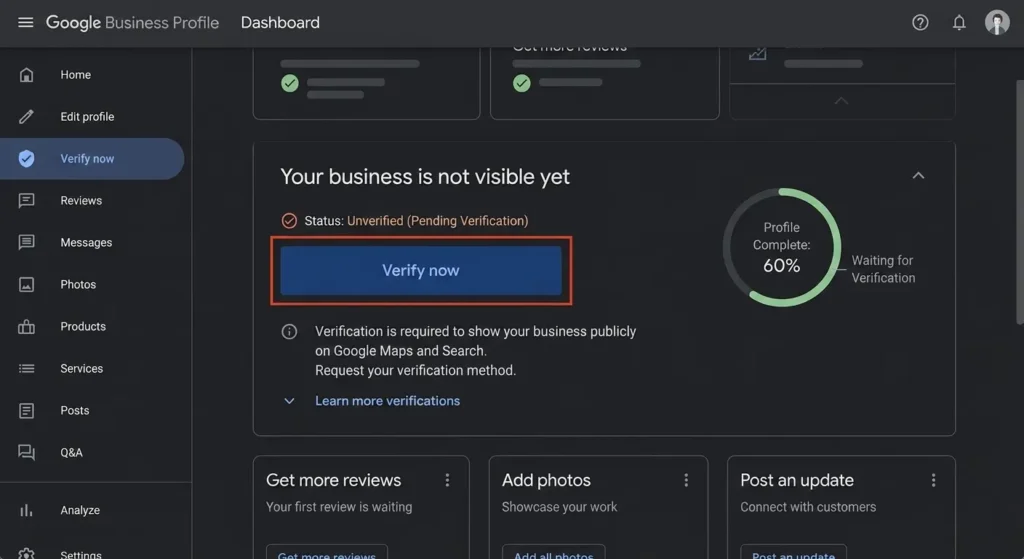
Go to business.google.com and sign in. If you see a banner saying “Verify now” or your profile status shows “Pending verification,” this is your problem.
How to fix it:
Request verification through your GBP dashboard — Google’s official verification guide walks through every option available. Google offers verification by postcard, phone, email, video recording, or live video call depending on your business type. Postcard verification takes 5 to 14 days. Video verification is usually faster.
Reason 2: Your Profile Is Suspended or Disabled
A suspended Google Business Profile is completely invisible on Google Maps and in search results. It is one of the more frustrating situations because Google does not always tell you clearly why it happened.
Common reasons Google suspends a profile include keyword stuffing in the business name, using a PO Box or virtual office address, a mismatch between your listed address and your actual location, duplicate listings for the same business, or violating Google’s guidelines in another way.
How to check:
Go to business.google.com. If you see a message saying “Suspended” or “Disabled,” or if your profile shows a red warning banner, your profile has been suspended.
How to fix it:
First, identify what likely caused the suspension by reading Google’s Business Profile guidelines carefully. Fix the issue on your profile. Then submit a reinstatement request through the Google Business Profile appeals tool. This process can take several weeks, so the faster you act the better.
Reason 3: Your Business Information Is Incomplete or Inaccurate
Google uses the information in your profile to decide when and where to show your business. If critical information is missing or wrong, Google cannot confidently display your business for relevant searches.
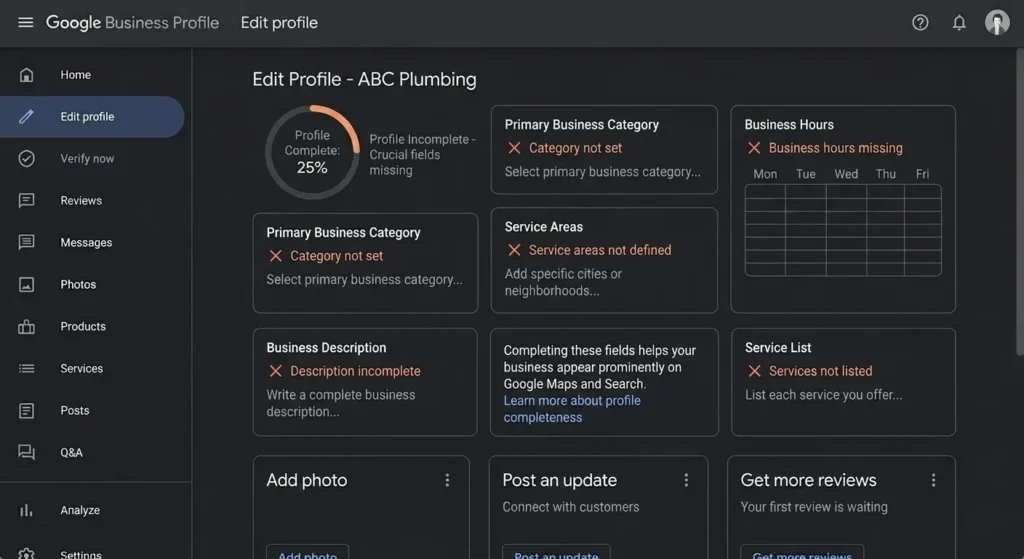
I audited a dental clinic in Florida whose profile had been live for four months with almost no visibility. Their profile was missing a business category, had no service areas defined, and their phone number had a formatting error. Three things, none of them complicated, were keeping them invisible.
For medical and dental clinics specifically, GBP optimization is one of the most high-impact fixes — I cover the full approach in SEO for Medical Clinics.
The fields that matter most are your primary business category, your service areas, your phone number, your website URL, your business hours, and your physical address or service area definition.
How to fix it:
Go through every field in your GBP dashboard and fill it in completely. Pay particular attention to your primary category — this is one of the strongest signals Google uses to match your business to relevant searches.
Reason 4: Your NAP Information Is Inconsistent Across the Web
NAP stands for Name, Address, and Phone number. These three pieces of information appear across dozens of directories, listing sites, and platforms beyond just your Google Business Profile. Yelp, Yellow Pages, Facebook, Apple Maps, Bing Places, and many others.
Google cross-references your NAP information across these sources to verify that your business is legitimate and that your details are accurate. When it finds inconsistencies, it loses confidence in your listing and reduces your visibility.
If your profile is showing but you’re getting traffic without calls, that’s a separate conversion problem — I break it down in 6 Reasons Your Website Gets Traffic But No Calls.”
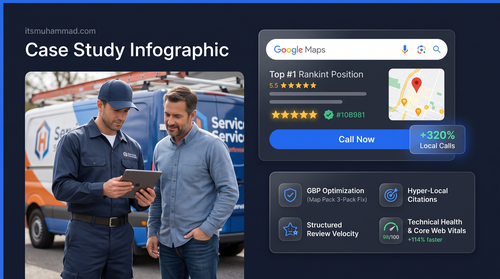
For the plumber in Houston I mentioned at the start, this was a major part of his problem. His business had three different phone numbers across various directories, two different business name spellings, and one listing still showing his home address from before he set up a proper service area.
Common inconsistencies to look for include variations in your business name like “ABC Plumbing” versus “ABC Plumbing LLC” versus “ABC Plumbing Services,” old phone numbers that were never updated, old addresses after you moved, and missing or wrong suite numbers.
How to fix it:
Run a citation audit using a tool like BrightLocal or Whitespark, or manually search for your business name across the major directories. Update every listing to match exactly what appears on your Google Business Profile — same business name, same phone number, same address format.
Reason 5: You Are a Service Area Business With Your Address Hidden
This one confuses a lot of service business owners.
If you run a business where you travel to customers rather than having customers come to you — plumbers, electricians, cleaners, HVAC technicians — Google classifies you as a service area business. When you set up your profile as a service area business, you typically hide your physical address and instead define the areas you serve.
The problem is that many service business owners either set up their profile incorrectly as a storefront business, leave their address visible when it should be hidden, or fail to properly define their service area. When Google cannot clearly understand where you operate, your local visibility suffers.
How to check:
In your GBP dashboard, check whether your business type is set to “Service area business” and whether you have defined specific service areas. If you see your home address publicly listed and you do not want customers coming to your home, this needs to be fixed immediately.
How to fix it:
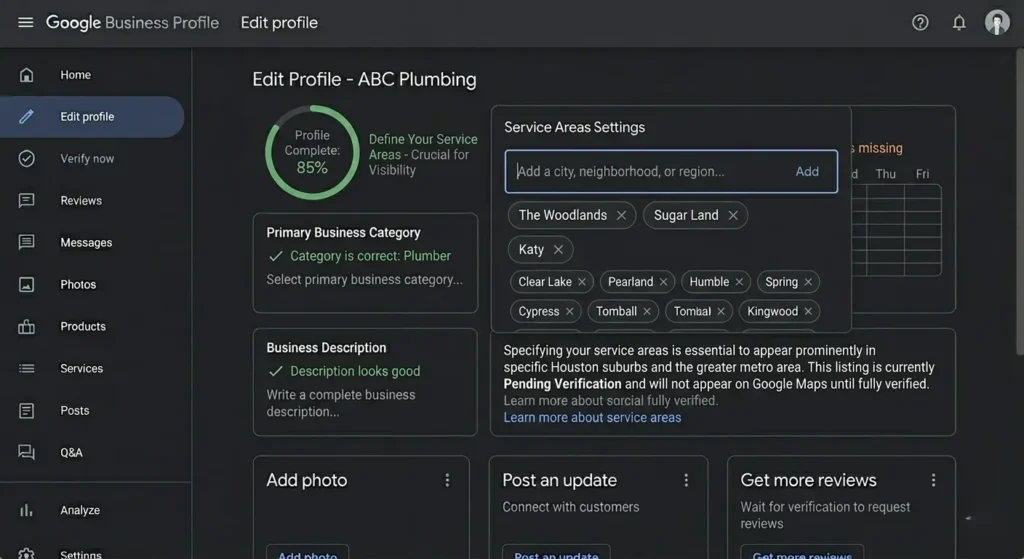
In your GBP dashboard, go to your business information and switch your business type to service area business. Hide your address. Then define your service areas by adding the specific cities, neighborhoods, or regions where you operate. Be specific — adding “Houston” is less useful than adding “The Woodlands,” “Sugar Land,” “Katy,” and “Pearland” as individual service areas.
Reason 6: Your Profile Is Too New
Google does not instantly index and display new Google Business Profiles. After you verify your profile, it typically takes a few days to a week for your business to appear in search results and on Google Maps. In more competitive markets or for profiles with thin information, it can take longer.
If you verified your profile in the last two weeks, this may simply be a waiting game. That said, you can speed up the process by completing your profile as fully as possible, adding photos, creating your first post, and getting your first review.
How to check:
Look at the date you verified your profile. If it was less than two weeks ago, give it more time.
How to fix it:
While you wait, make your profile as complete as possible. Add at least 5 photos, including your logo, a cover photo, and photos of your work. Write a complete business description. Add all your services with descriptions. Create your first GBP post. These signals help Google index your profile faster and rank it higher once it does appear.
How to Diagnose Your Specific Problem in 10 Minutes
Start by going to business.google.com and signing in.
- First, check your profile status. Look for any warnings, banners, or status messages at the top of your dashboard.
- Then check your profile completeness score if Google shows one, and look for any fields marked as incomplete or missing.
- Then search for your business name on Google Maps from a different device or in an incognito browser window. If your profile appears but not in the Map Pack, that is a different issue from your profile not appearing at all.
- Finally, search your business name on Google’s regular search. If it shows up there but not on Maps, the issue is likely your service area settings or geographic relevance signals.
What to Do If None of These Fix the Problem
If you have checked all six reasons and your profile is verified, complete, unsuspended, and your NAP is consistent, but your business is still not appearing prominently on Google Maps, the issue is likely one of visibility rather than indexing.
Google’s local ranking algorithm uses three main factors: relevance, distance, and prominence. If your profile is technically correct but still not ranking where you want it, you may need to work on building more local authority through consistent reviews, regular GBP posts, additional local citations, and location-specific content on your website.
This is a longer process but a predictable one. I covered the full approach in the case study about how I got a Texas solar company from invisible to the number two position in their local Map Pack — you can read that breakdown here.
If your website itself is part of the problem, I cover the most common reasons in Why Your Website Gets Traffic But No Calls.
You can see the full range of Local SEO and Google visibility services I offer to help with this.
By the way, I do a free audit covering your profile, citations, and local visibility. If you want to know more about how I work, visit my about page. You can get in touch through the contact page.
Not sure what a proper audit covers? Read What Is a Local SEO Audit before we talk.